Team Check In
2 min
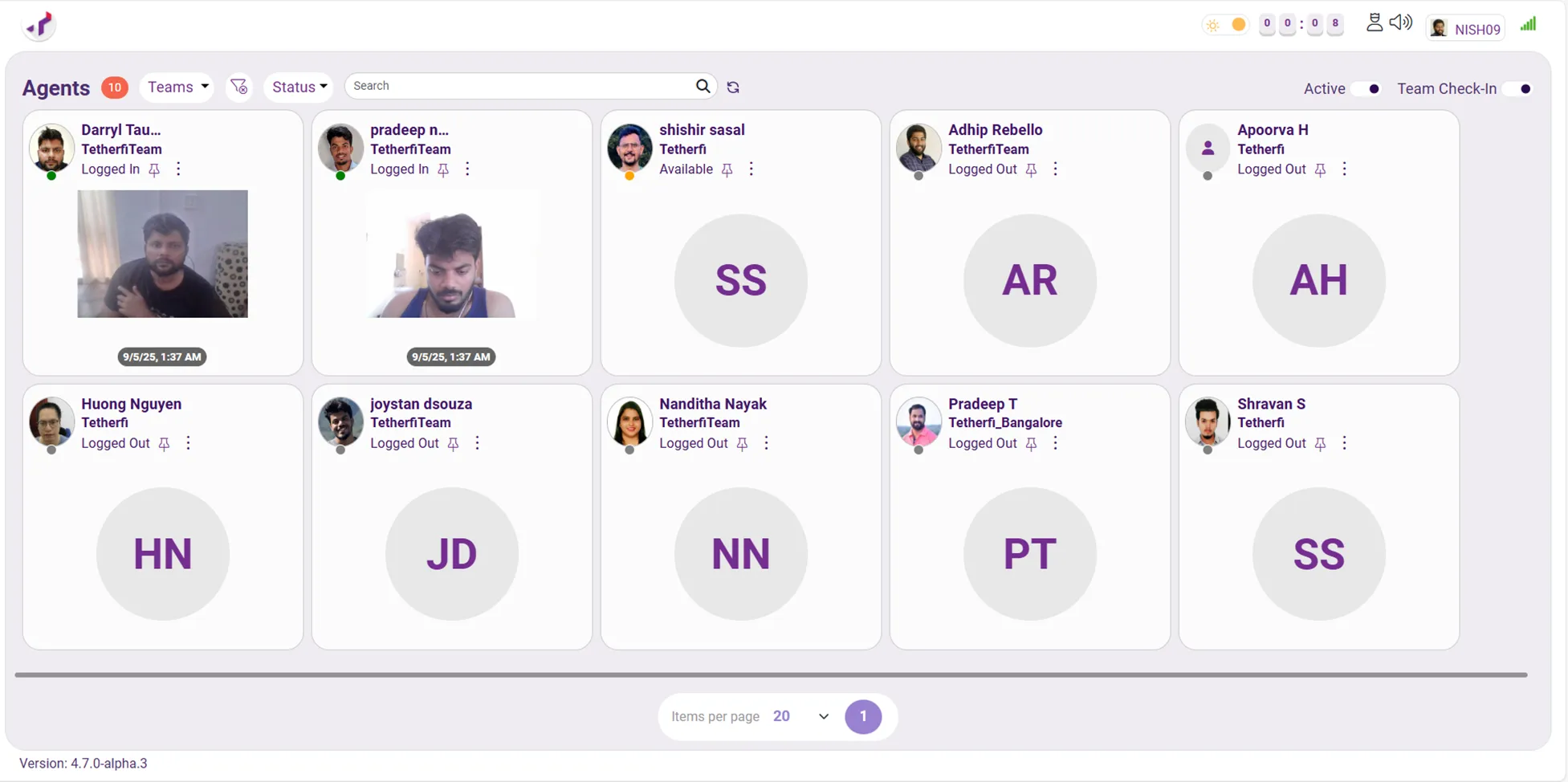
Team Check In feature lets a supervisor quickly see the latest background authentication photo of every agent in their team, all in one place.
Key Highlights
- Single screen team view See the latest successful background authentication status of all agents together in one grid.
- Visual verification at a glance Each agent tile shows the most recent background authentication photo, making presence and verification easy to confirm.
- Clear timestamp visibility Every photo includes a timestamp so supervisors know exactly when the last successful background authentication happened.
- Automatic updates The page refreshes automatically every minute, ensuring the information stays current.
Benefits
- Faster Supervisor Checks No need to open individual agent profiles or interrupt agents. One look tells the story.
- Improved Visibility & Accounting Supervisors can easily confirm which agents are logged in and recently authenticated.
- Better efficiency Saves time during shift start, audits, or spot checks. Eliminates manual follow ups, messages, or calls just to confirm agent availability.
Use Cases
- Supervisors can quickly confirm which agents are logged in and authenticated.
- Supervisor can perform random checks throughout the day.
- When managing large teams, Team Check In avoids the overhead of checking agents one by one.
- Provides quick visual proof of authentication activity with clear timestamps for review or reporting.