Screen Glance
4 min
Screen Glance lets supervisors instantly view an agent’s active screen in real time. It’s built for visibility, faster support, and compliance monitoring without interrupting the agent’s work.
Key Highlights
- Provides real-time screen visibility of agents directly from the Supervisor UI.
- Enables non-intrusive monitoring with a single click.
- Secure live streaming with controlled permissions.
- Designed for remote supervision and quality assurance in distributed environments.
Supervisors start a screen glance by clicking on the Assist button in the Chat section.

Assist Button
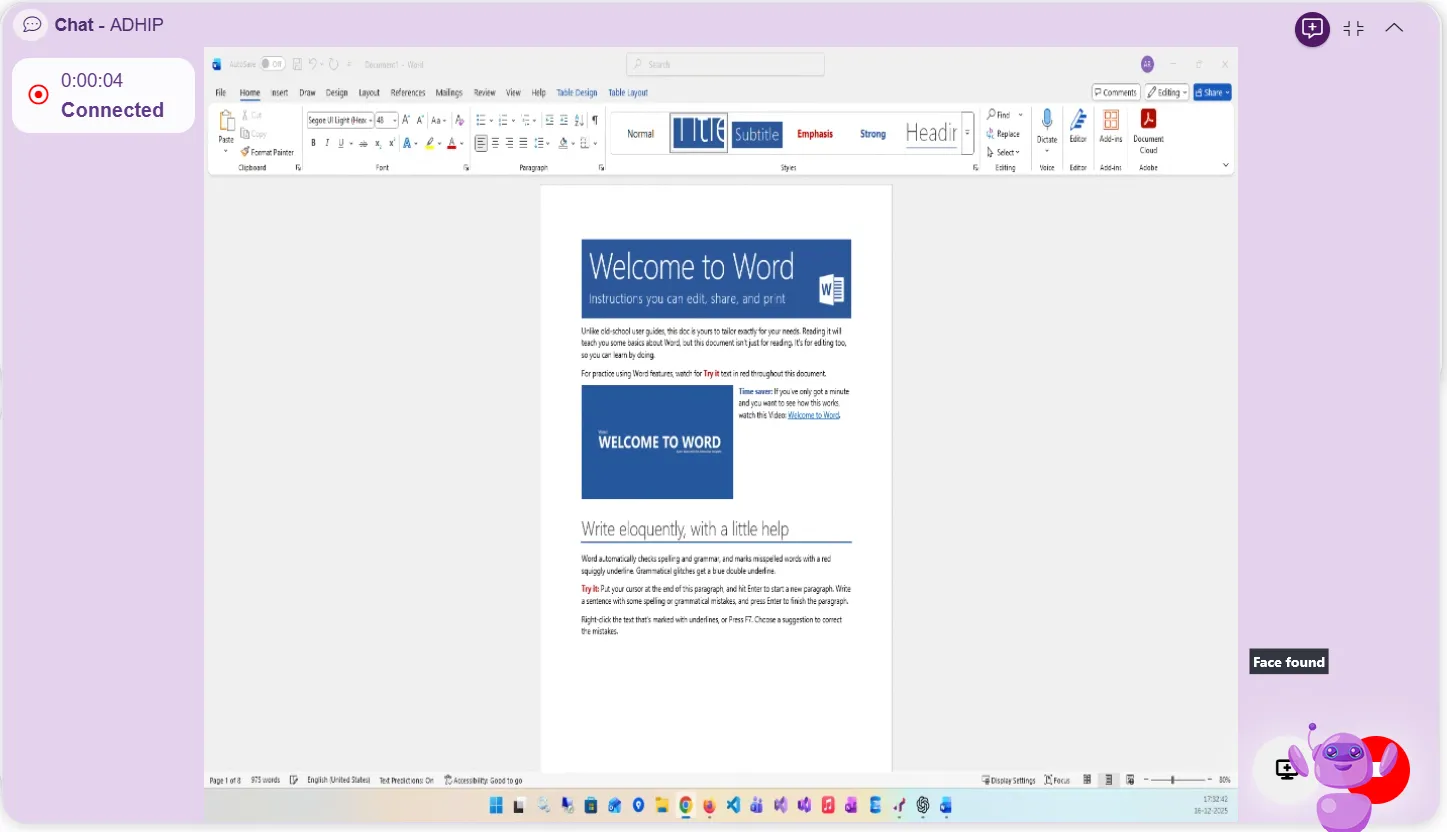
Note
- At the start of a Screen Glance session, the supervisor can choose which agent screen to view. If the agent has two or more displays, a selection popup appears, allowing the supervisor to choose one or multiple screens for viewing.
- During an active Screen Glance session, the supervisor can change the selected screen at any time without ending the session.
The glance session can be ended at any time by clicking the Stop Glance button.

End Screen Glance
Note
A screen glance session can also end due to various reasons such as:
- Supervisor closing or minimizing the browser.
- Supervisor switching to another tab or closing the tab.
- Supervisor bringing another full-screen application to the foreground while the Supervisor UI (in browser) goes background.
- Agent locking their screen during the session.
- Supervisor reloading the page.
- Supervisor navigating to any other view within the UI or switching the agent itself.
Benefits
- Enhanced Visibility: Supervisors gain instant insights into agent activity and performance.
- Improved Support: Faster access and troubleshooting during live work.
- Data Security: Access is restricted to authorized supervisors with controlled permissions.
- Operational Efficiency: Eliminates the need for separate screen-sharing tools.
Use Cases
- Quality Monitoring: Verify process adherence and tool usage.
- Training and Coaching: Observe and guide new agents in real time.
- Incident Review: Validate agent-side actions during issue resolution.