Remote Security Rules
Overview
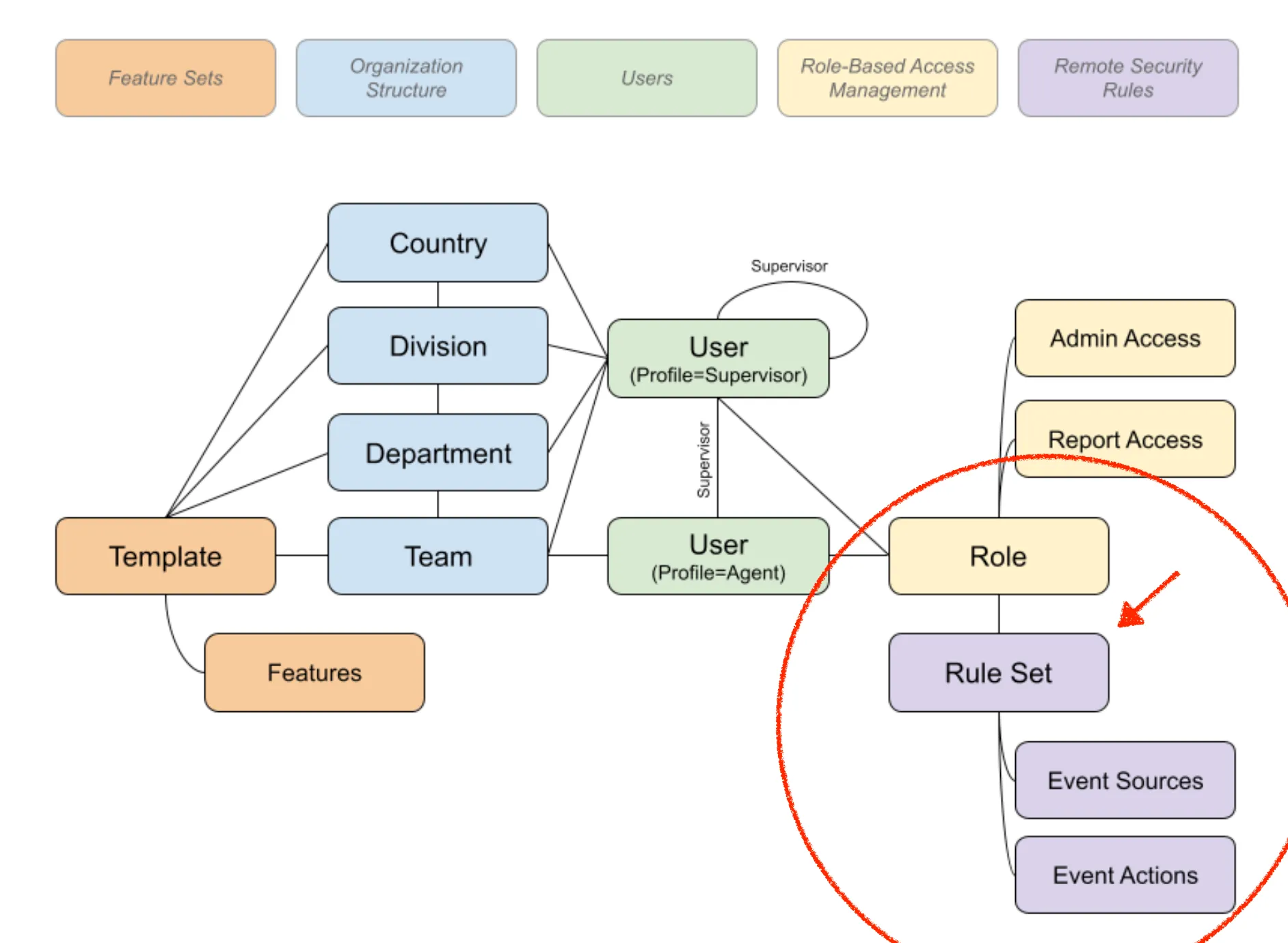
Remote Security Rules define what happens when a given event is detected by the Secure Work from Home app running on an agent's computer. As the diagram below shows, remote security rule sets are associated with roles. An agent's role(s) identify the rule set(s) that are used for that agent. This allows different groups of agents to have different behaviors for the same events (e.g. what happens if the agent walks away from their desk).
- Features - enable/disable/configure capabilities and possible events
- Event Sources - these represent code running on the agent's desktop that are looking for certain situations to happen and if/when they happen generate events - what events and how those events are generated are controlled by Feature settings for that agent (see Features for more information).
- Events - these are the generated events that represent the core data generated by Secure Work from Home:
- generated events kick off Event Actions
- generated events are displayed to Supervisors
- generated events are stored in the database (if configured via Event Actions) for use in reporting and analysis
- Event Actions - these are the configured actions that are to be taken when a given event is generated. Actions are typically some combination of logging the event for supervisor/reporting purposes and, if desired, putting the agent's screen to sleep or locking it until a one time passcode (OTP) is entered.
Managing Remote Security Rules
To manage remote security rules, open OCM (Operation Control Manager) and click on the Admin Modules button in the upper right (icon looks like a computer screen). Then select AGENT. Then click on Remote Security Rules. If you don't see this on your menu, then it is likely that your user has not been granted access to this module.

Clicking on "Remote Security Rules" will open the Remote Security Rules module.
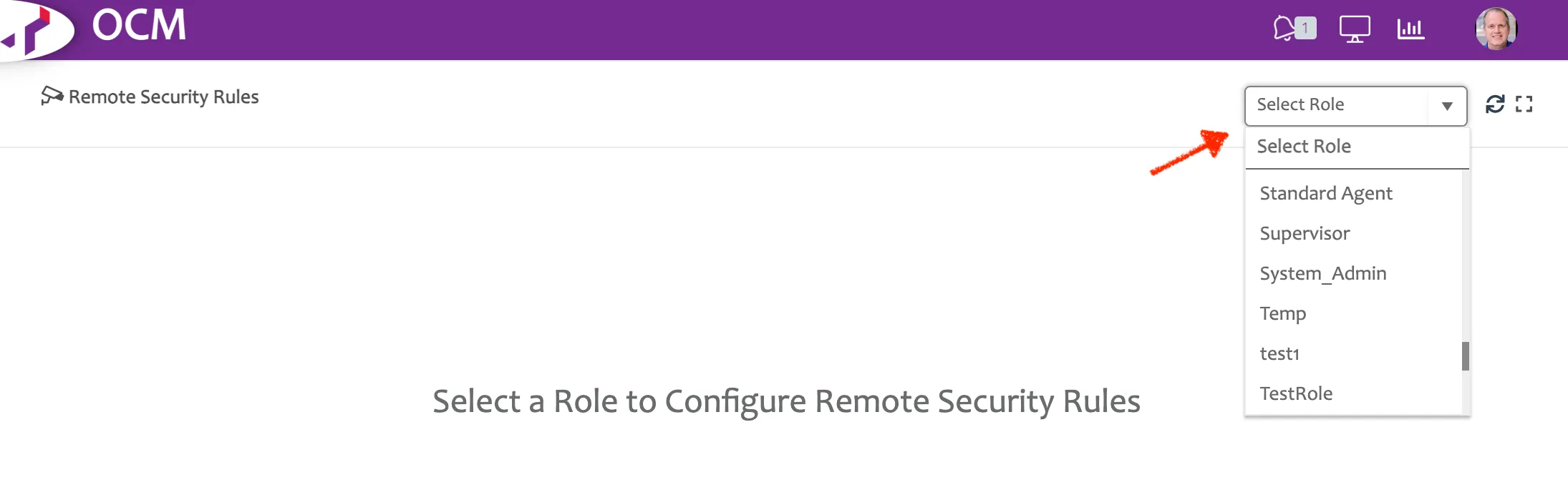
The first thing you have to do is select the role for which you want to define (or update) Remote Security Rules. Select from the drop down in the upper right and pick the appropriate (already defined) role. If you haven't yet defined the role for which you want to define rules, see Roles.
Once you select a role, you will see the rule set defined for that role. If none has yet been defined, a default rule set is presented.
Since it all starts with Events, see Events for more details if you haven't already.
The first thing you see when you open up Remote Security Rules is the list of Event Sources. See Event Sources for more details.
The primary area you will work with is on the Event Action tab. See Event Actions for more details.